ONNX Runtime 執行提供者
ONNX Runtime 透過其可擴充套件的**執行提供者** (EP) 框架與不同的硬體加速庫協同工作,以在硬體平臺上最佳地執行 ONNX 模型。此介面使 AP 應用程式開發人員能夠靈活地在雲端和邊緣的不同環境中部署其 ONNX 模型,並透過利用平臺的計算能力來最佳化執行。
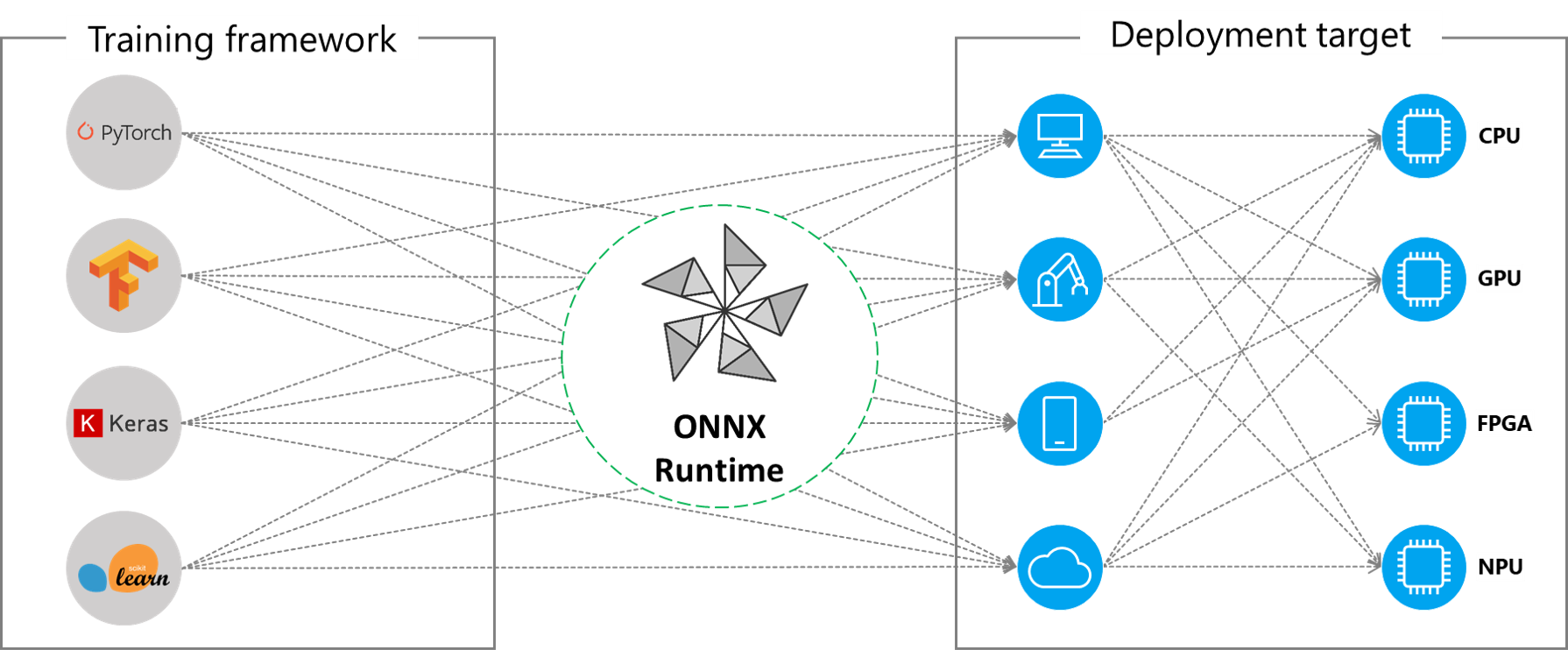
ONNX Runtime 使用 GetCapability() 介面與執行提供者協同工作,將特定節點或子圖分配給 EP 庫在受支援的硬體上執行。預裝在執行環境中的 EP 庫在硬體上處理並執行 ONNX 子圖。這種架構抽象了硬體特定庫的細節,這些庫對於最佳化跨 CPU、GPU、FPGA 或專用 NPU 等硬體平臺的深度神經網路執行至關重要。
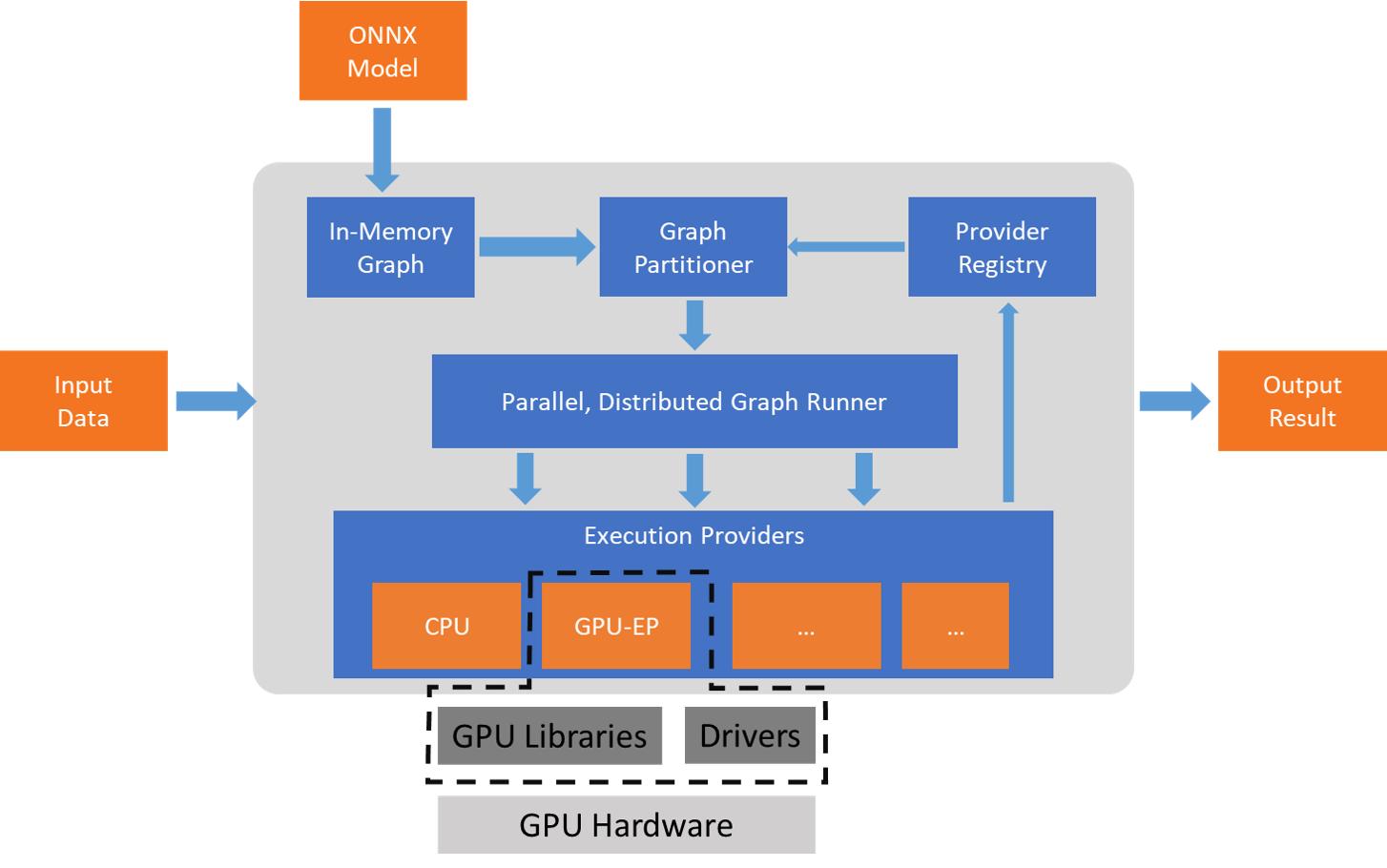
ONNX Runtime 目前支援許多不同的執行提供者。一些 EP 已投入生產用於即時服務,而另一些則以預覽版釋出,以使開發人員能夠使用不同的選項開發和定製其應用程式。
支援的執行提供者摘要
| CPU | GPU | IoT/邊緣/移動裝置 | 其他 |
|---|---|---|---|
| 預設 CPU | NVIDIA CUDA | Intel OpenVINO | 瑞芯微 NPU (預覽) |
| Intel DNNL | NVIDIA TensorRT | Arm 計算庫 (預覽) | Xilinx Vitis-AI (預覽) |
| TVM (預覽) | DirectML | Android 神經網路 API | 華為 CANN (預覽) |
| Intel OpenVINO | AMD MIGraphX | Arm NN (預覽) | AZURE (預覽) |
| XNNPACK | Intel OpenVINO | CoreML (預覽) | |
| AMD ROCm | TVM (預覽) | ||
| TVM (預覽) | Qualcomm QNN | ||
| XNNPACK |
新增執行提供者
專業硬體加速解決方案的開發人員可以與 ONNX Runtime 整合,以在其堆疊上執行 ONNX 模型。要建立與 ONNX Runtime 介面的 EP,您必須首先為 EP 確定一個唯一的名稱。有關詳細說明,請參閱:新增新的執行提供者。
使用 EP 構建 ONNX Runtime 包
ONNX Runtime 包可以與任何 EP 組合以及預設的 CPU 執行提供者一起構建。**請注意**,如果將多個 EP 組合到同一個 ONNX Runtime 包中,則所有依賴庫都必須存在於執行環境中。有關使用不同 EP 生成 ONNX Runtime 包的步驟,請參閱此處。
執行提供者的 API
所有 EP 都使用相同的 ONNX Runtime API。這為應用程式在不同硬體加速平臺上執行提供了統一的介面。設定 EP 選項的 API 可用於 Python、C/C++/C#、Java 和 node.js。
**請注意**,我們正在更新我們的 API 支援,以實現在所有語言繫結之間的一致性,並將在此處更新具體資訊。
`get_providers`: Return list of registered execution providers.
`get_provider_options`: Return the registered execution providers' configurations.
`set_providers`: Register the given list of execution providers. The underlying session is re-created.
    The list of providers is ordered by Priority. For example ['CUDAExecutionProvider', 'CPUExecutionProvider']
    means execute a node using CUDAExecutionProvider if capable, otherwise execute using CPUExecutionProvider.
使用執行提供者
import onnxruntime as rt

#define the priority order for the execution providers
# prefer CUDA Execution Provider over CPU Execution Provider
EP_list = ['CUDAExecutionProvider', 'CPUExecutionProvider']

# initialize the model.onnx
sess = rt.InferenceSession("model.onnx", providers=EP_list)

# get the outputs metadata as a list of :class:`onnxruntime.NodeArg`
output_name = sess.get_outputs()[0].name

# get the inputs metadata as a list of :class:`onnxruntime.NodeArg`
input_name = sess.get_inputs()[0].name

# inference run using image_data as the input to the model
detections = sess.run([output_name], {input_name: image_data})[0]

print("Output shape:", detections.shape)

# Process the image to mark the inference points
image = post.image_postprocess(original_image, input_size, detections)
image = Image.fromarray(image)
image.save("kite-with-objects.jpg")

# Update EP priority to only CPUExecutionProvider
sess.set_providers(['CPUExecutionProvider'])

cpu_detection = sess.run(...)